
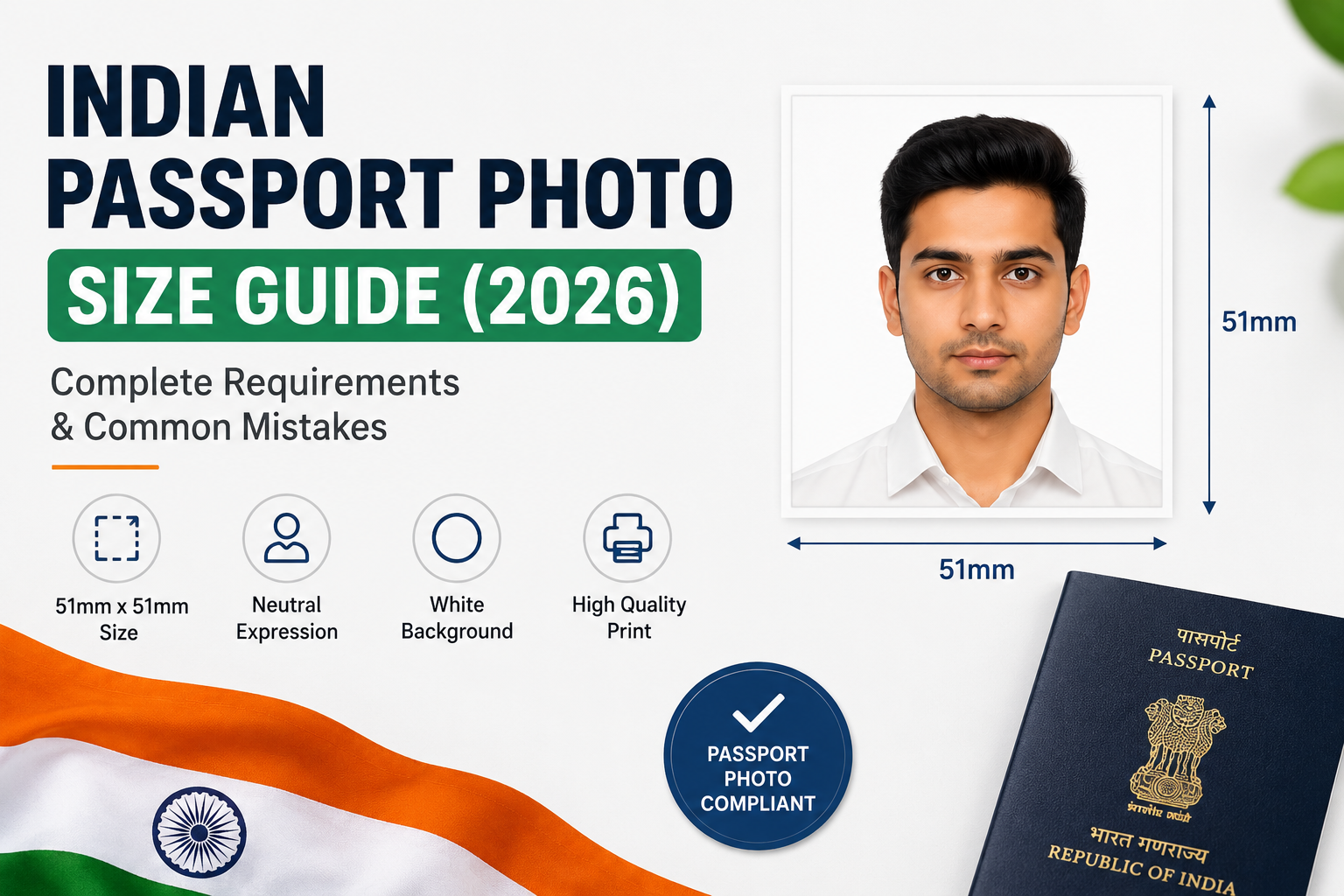
Indian Passport Photo Size Guide (2026): Complete Requirements & Common Mistakes
Table of Contents
1. What Is the Indian Passport Photo Size?
2. Official Passport Photo Requirements
3. Digital Passport Photo Requirements
4. Common Reasons Photos Get Rejected
5. How to Take a Passport Photo at Home
6. Printing Your Passport Photo
7. Create Passport Photos Online
8. Frequently Asked Questions
9. Final Thoughts
What Is the Indian Passport Photo Size?
The official Indian passport photo size is:
- Dimensions: 51 mm × 51 mm
- Equivalent: 2 × 2 inches
- Aspect Ratio: 1:1 (Square)
The photograph should be printed on high-quality photo paper and clearly show your face without distortion or cropping.
Unlike casual photographs, passport photos are used for biometric identification, meaning your appearance must be represented accurately.
Official Indian Passport Photo Requirements (2026)
Following the correct guidelines helps prevent unnecessary delays during passport verification.
Background
The background should be completely white and free from distractions.
Avoid:
- Coloured backgrounds
- Textured walls
- Curtains
- Outdoor scenery
- Furniture
- Shadows
A clean white background allows your face to stand out clearly. If needed, use our free Remove Background tool to clean up your photo.
Facial Expression
Maintain a neutral facial expression.
You should:
- Look directly into the camera
- Keep both eyes open
- Close your mouth naturally
- Relax your facial muscles
- Avoid smiling or exaggerated expressions
Natural expressions are recommended for biometric identification.
Head Position
Face the camera directly.
Your head should:
- Be centred
- Remain upright
- Not tilt left or right
- Clearly show the forehead and chin
The entire face should remain visible.
Lighting
Good lighting significantly improves photo quality.
Your passport photograph should have:
- Even lighting across the face
- No harsh shadows
- Natural skin tones
- Balanced brightness
- Clear facial features
Natural daylight near a window often produces the best results.
Clothing
Wear simple clothing that contrasts against the white background.
Recommended:
- Plain shirts
- Formal clothing
- Everyday attire
Avoid:
- White clothing blending into the background
- Camouflage
- Uniforms
- Reflective materials
Simple clothing keeps the focus on your face.
Glasses
Although glasses are allowed in some situations, they can create reflections.
If possible, remove them before taking the photo.
If glasses must remain:
- Eyes should be fully visible
- No glare should appear
- Avoid tinted lenses
Head Coverings
Religious head coverings are permitted.
However:
- Your complete face must remain visible
- The forehead and chin should not be covered
- Shadows should be avoided
Image Quality
A passport photograph should be:
- High resolution
- Properly focused
- Free from filters
- Naturally coloured
- Printed on quality photo paper
Avoid heavily edited or AI-enhanced images.
Digital Passport Photo Requirements
If you're uploading a digital passport photograph online, make sure it:
- Uses JPEG format
- Has sufficient resolution
- Maintains natural colours
- Isn't heavily compressed
- Contains no watermarks
- Has no decorative borders
Always verify the latest upload specifications on the official Passport Seva portal before submission.
Common Reasons Indian Passport Photos Get Rejected
Many passport applications are delayed because of avoidable mistakes.
The most common reasons include:
- Incorrect dimensions
- Patterned background
- Coloured background
- Blurry photograph
- Low resolution
- Face not centred
- Smiling too much
- Hair covering the face
- Eyes partially closed
- Strong shadows
- Glare on spectacles
- Heavy editing
Reviewing your photograph carefully before printing can save valuable time.
Can You Take an Indian Passport Photo at Home?
Yes.
Modern smartphone cameras are capable of producing excellent passport photographs.
Follow these simple steps:
1. Stand against a plain white wall
2. Use natural daylight
3. Position the camera at eye level
4. Ask another person to take the photograph
5. Keep your face centred
6. Maintain a neutral expression
7. Capture multiple photos and choose the clearest one
This simple setup produces surprisingly professional results.
Printing Passport Photos
Printing is just as important as taking the photograph.
For the best quality:
- Print on glossy or matte photo paper
- Use a professional printer
- Maintain the correct dimensions
- Avoid stretching or compressing the image
Use our free Image Resizer to ensure your photo has the correct dimensions before printing. You can also use the Image Compressor to reduce file size while maintaining quality.
Many local photo printing shops can print passport photos within minutes.
Create an Indian Passport Photo Online
Instead of downloading complicated software, you can create a passport-ready photo directly in your browser.
The ShareTextQR Passport Photo Maker helps you:
- Crop photos accurately
- Select passport dimensions
- Preview the final result
- Arrange multiple copies on an A4 sheet
- Download a print-ready image
Everything works online without creating an account or installing software.
Tips for the Best Passport Photo
For professional-looking results:
- Clean your phone camera lens
- Use soft natural lighting
- Keep the camera level with your eyes
- Avoid beauty filters
- Remove distracting accessories
- Keep your shoulders straight
- Ensure your hair doesn't cover your eyes
- Double-check the crop before printing
Small improvements can make the difference between acceptance and rejection.
Frequently Asked Questions
Is the Indian passport photo size 2 × 2 inches?
Yes.
The official passport photo size is 51 × 51 mm, which equals 2 × 2 inches.
Can I smile?
A neutral facial expression is recommended.
Avoid broad smiles or exaggerated expressions.
Can I wear spectacles?
Yes, provided your eyes remain clearly visible and there is no glare.
Can I wear religious head coverings?
Yes.
Religious head coverings are permitted if your complete face remains visible.
Can I use my phone?
Absolutely.
Most modern smartphones produce images suitable for passport applications when proper lighting and a white background are used.
What background colour should I use?
A plain white background without shadows or objects.
Can I edit my passport photo?
Basic cropping and brightness adjustments are acceptable.
Avoid beauty filters, AI face enhancements, or edits that alter your natural appearance.
Final Thoughts
Your passport photograph is one of the first things officials examine during the verification process. Meeting the correct specifications helps ensure your application proceeds smoothly without unnecessary delays.
By following the official size requirements, using a plain white background, maintaining a neutral expression, and ensuring your photograph is sharp and well-lit, you can avoid the most common reasons for rejection.
If you're preparing your passport photo from home, the ShareTextQR Passport Photo Maker makes the process quick, accurate, and convenient. You can crop your image, generate a print-ready layout, and create professional passport photos in just a few minutes—all directly from your browser.
Related Tools
You may also find these free online tools useful:
- Passport Photo Maker
- Image Resizer
- Remove Background
- Image Compressor
- Image to Text (OCR)
- PNG to SVG Converter
- SVG to PNG Converter
- HEIC to JPG Converter